
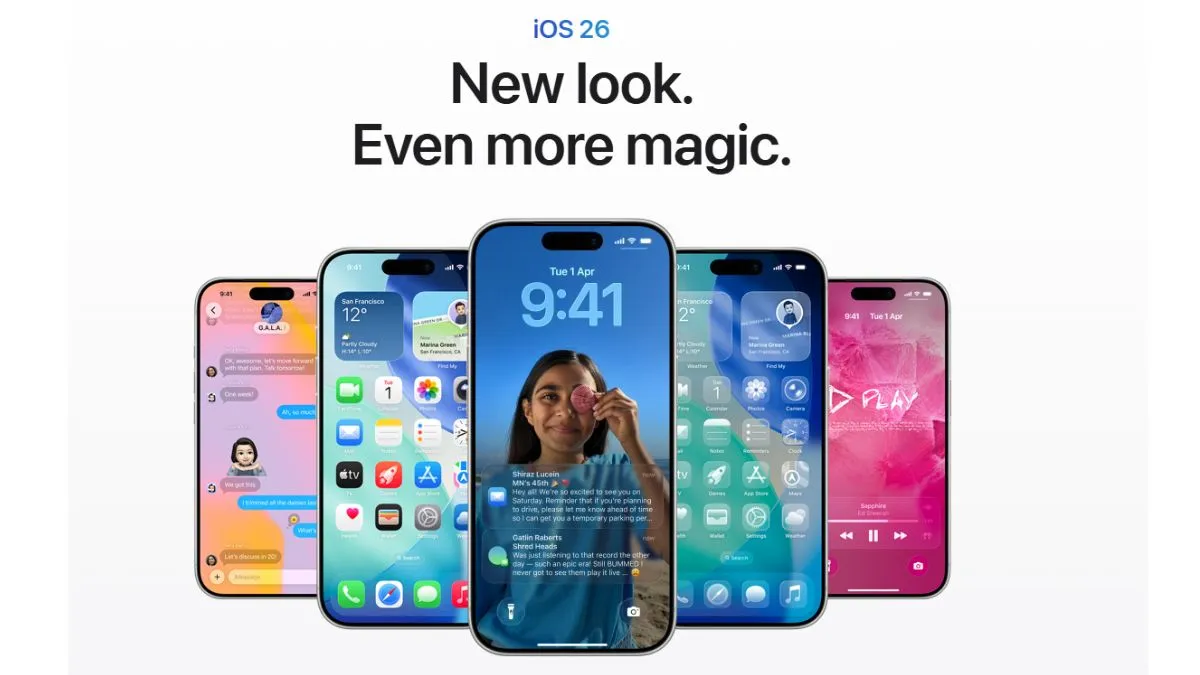
Apple is releasing iOS 26.1, the first major update to its latest operating system. iOS 26 was first released in September 2025. Unlike big feature-heavy releases, iOS 26.1 has been focusing on refinements, usability upgrades and quick fixes which will help in improving daily iPhone usage.
The most important changes for users are listed below.
1. Liquid Glass Transparency control
iOS 26.1 has introduced a new Liquid Glass Transparency Toggle, which can be selected from Settings, and then going into ‘Display & Brightness’. There, the user can choose between:
- Clear Mode – more transparent
- Tinted Mode – darker elements for better visibility
This feature will further help the user to have enhanced and better readability, reduce straining of the eyes and fix visibility complaints which were reported after iOS 26.
2. Disable the Lock Screen camera gesture
Users can easily disable the swipe-left-to-open camera gesture on iPhones. The main highlight of the feature is that it prevents users from accidentally opening the camera in a bag, pocket or when manoeuvring the iPhone. This is said to be one of those long-awaited features which is finally live on the platform.
3. New Gesture Controls for Music, Alarms and Timers
- Users can easily swipe on their Apple Music MiniPlayer to change tracks.
- Slide to stop Alarms or Timers (this will further reduce the accidental taps on the iPhones)
This will help the user to have faster interactions along with fewer mistakes during day-to-day usage.
4. More Apple intelligent languages
It has been stated that users will get more languages on their iPhones. The update has added to Apple Intelligence with AirPods for Live Translation, with the following languages supported:
- Vietnamese
- Danish
- Japanese
- Dutch
- Turkish
- Korean
- Mandarin
With this, more iPhone users could use the feature, which involves on-device AI for real-time translation.
5. Haptic options and Phone App: Slight upgrades tweaked
Users can now disable Haptic buzz when calls are connected. This will help iPhone users to have fewer distractions during the call and more personal control during the call.
6. UI refinements across system apps
Apple has polished several areas, like:
- Wider Safari tab bar
- Added Liquid Glass effect to the Phone keypad
- Left-aligned headers in Settings
- Cleaner editing tools in Photos Outcome with a more consistent, modern and less cluttered interface.
7. New security enhancements: A new toggle allows
- Automatic background security patches are added with the new update, which has replaced Rapid Security Response updates.
- This will help iPhone users with better protection without waiting for complete updates.
8. Better FaceTime and communication safety
The user will get better and improved audio clarity over weak networks. Also, teens who are using iPhones with the latest iOS will have improved safety settings (youth between the ages of 13 and 17).
9. Creator upgrades iOS 26.1 adds
- Good news for content creators, as the iPhone will now grasp the external mic's gain.
- They will get the option to choose where recordings are saved.
- This feature will be great for those who are creating content for their YouTube channels, for various podcasts, for journalists, and for other content creators on social media.
10. iPadOS 26.1 adds slide over and Vision Pro app
iPad users get a new Apple Vision Pro integrated into their compatible iPhones. Also, the return of slide-over multitasking will help better document editing at comfort. This will work with all the compatible devices that support iOS 26.
Update the iOS 26.1
The iPhone and iPad users who have devices from the iPhone 11 series to the iPhone 17 series, the iPhone SE (2nd gen or newer), could choose to select the latest update easily. All they have to do is:
- Go to Settings
- Tap on General
- Tap on Software Update
- Then download and install
