
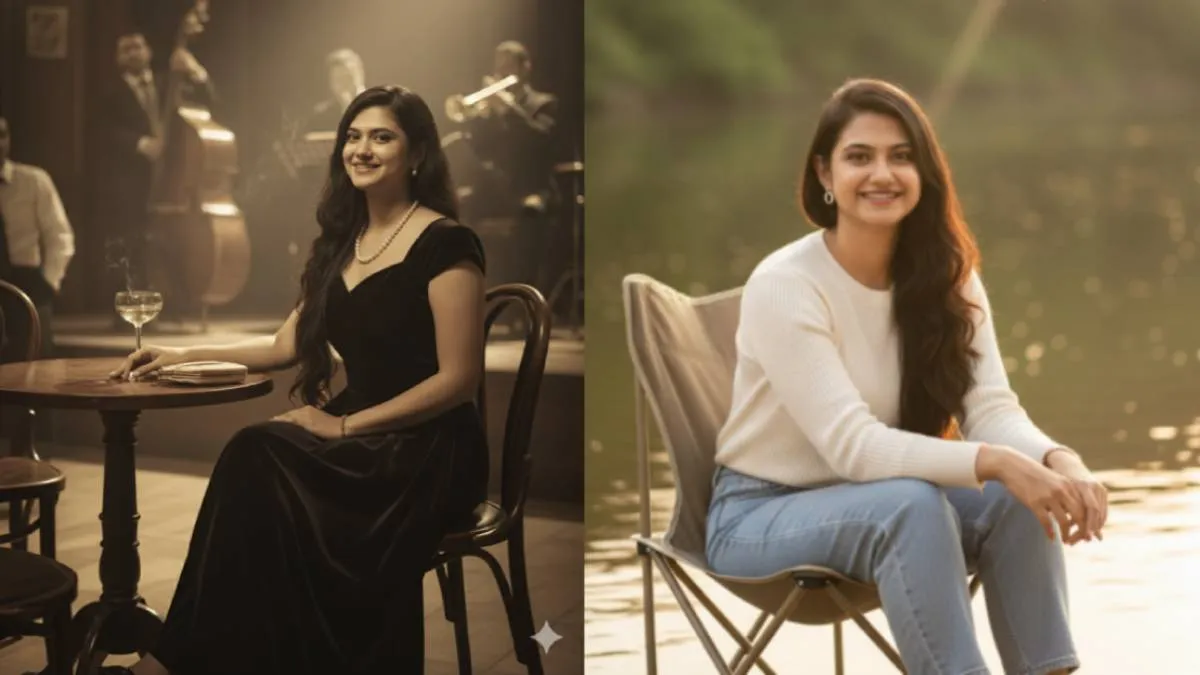
Google Gemini Google Gemini’s latest image generation feature is a popular trend on social media. With this feature, you can create a variety of appealing portrait photos by simply giving it a text description. You can alter clothing styles, add different backgrounds, and even create retro-style photos based on the prompts you provide.
Many people use prompts that are already available online, but this results in similar photos for everyone. By writing your own custom prompts, you can create truly unique photos.
If you're having trouble writing your own prompts, we have a simple structure that will allow you to create them by just adding a few words.
General prompt structure
"Convert the uploaded image of [person] into a [style] image. The person's face should remain exactly as it appears in the original image. The pose and clothing should be reimagined to fit the new setting of [new setting]. The image should feature [lighting and colour elements], and the overall mood should be [desired mood]".
To create a unique image, simply mix and match the examples below for each bracketed element in the general prompt.
Examples to insert into the prompt
1. Person: (Who is the subject of the photo?)
- the woman
- the man
- the couple
- the child
- the girl
- the boy
2. Style: (What aesthetic are you aiming for?)
- retro-style
- cinematic
- hyper-realistic studio
- vintage Bollywood-inspired
- black-and-white portrait
- anime-style
- cyberpunk
- watercolor painting
- street photography
3. New Setting: (Where is the person placed?)
- a bustling 1950s city street with classic cars and neon signs
- an elegant, dimly lit 1940s jazz club, seated at a small table near the stage
- a futuristic 1980s-inspired cityscape with flying cars and glowing holographic billboards
- a sunlit living room from the 1970s with floral wallpaper and vintage furniture
- a rustic 1960s roadside diner, leaning against a vintage jukebox
- a teacher in a classroom, leaning against a wooden desk
- a relaxed camping chair by a tranquil riverbank
- a bustling futuristic street market with vibrant, holographic advertisements
- a serene, snowy mountain landscape at dusk
- an underwater fantasy world with glowing coral and ethereal sea creatures
4. Lighting and Colour Elements: (How should the scene be lit?)
- warm, soft lighting reminiscent of a sepia-toned photograph
- the dramatic glow of vintage neon signs and moody shadows
- bright, high-key lighting with pastel color grading, typical of 1950s advertisements
- a grainy, slightly desaturated film look with soft, natural light
- soft and moody lighting with deep shadows and subtle highlights
- bold, neon-lit colors and sharp contrasts
- warm, golden-hour lighting with subtle lens flare
- vibrant, saturated colors with dynamic light sources and reflections
- a dark, moody atmosphere with a single, sharp spotlight
- ethereal, soft blue and green light filtering through water
5. Desired Mood: (What emotion or feeling should the photo evoke?)
- nostalgic and serene, evoking a sense of peaceful reflection
- lively and vibrant, full of energy and classic charm
- cozy and intimate, with a warm, inviting atmosphere
- dreamlike and melancholic, with a hint of mystery
- sophisticated and intimate
- cyberpunk and energetic
- classic and intellectual
- calm and introspective
- romantic and free-spirited
- innocent and joyful
ALSO READ:
