
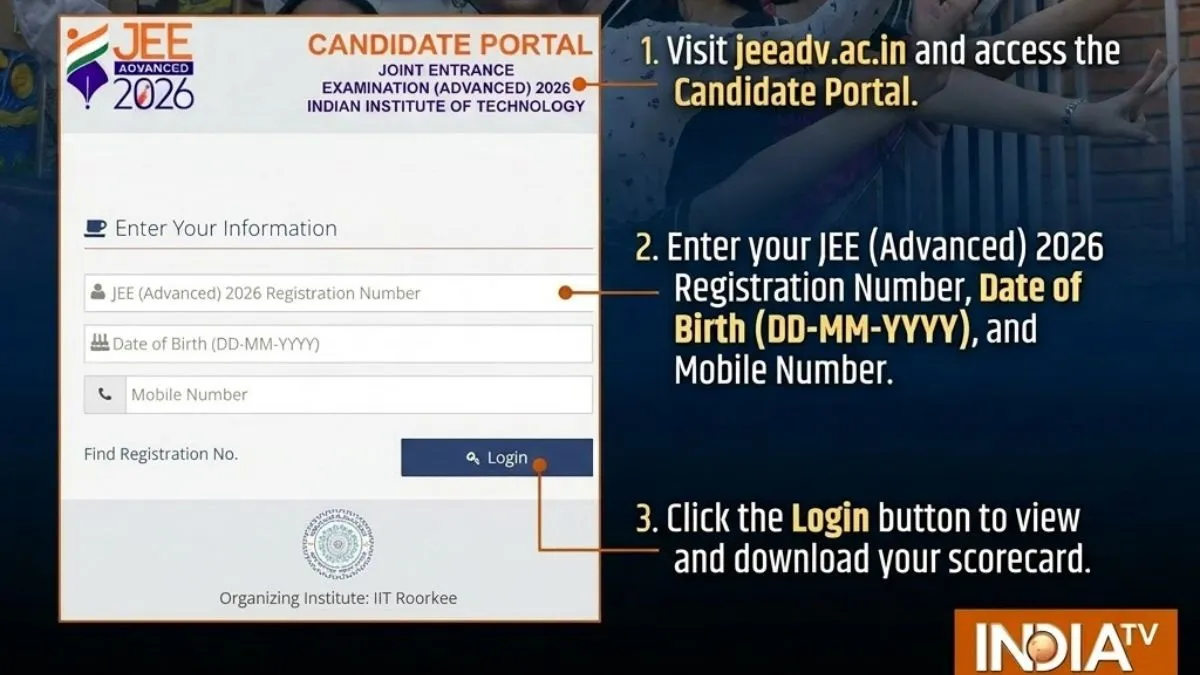
The Joint Entrance Examination (JEE Advanced 2026) scorecard link is jeeadv.ac.in, the candidates can check and download JEE Advanced scorecard PDF on the official portal - jeeadv.ac.in. JEE Advanced scorecard PDF login credentials are- application number, date oof birth.
To download JEE Advanced scorecard PDF, candidates need to visit the official website - jeeadv.ac.in and click on JEE Advanced scorecard PDF link. Enter login credentials - application number, date of birth. JEE Advanced scorecard PDF will be available for download on the screen, save JEE Advanced scorecard PDF and take a print out.
- Visit the official website - jeeadv.ac.in
- Click on JEE Advanced scorecard PDF link
- Use application number, date of birth as the required login credentials
- JEE Advanced scorecard PDF will be available for download on the screen
- Save JEE Advanced scorecard PDF and take a hard copy out of it.
How to download JEE Advanced merit list
The candidates can check and download JEE Advanced merit list PDF on the official portal - jeeadv.ac.in. To download JEE Advanced toppers list PDF, candidates need to visit the official website - jeeadv.ac.in and click on JEE Advanced toppers list PDF link. JEE Advanced merit list PDF will be available for download, save JEE Advanced toppers list PDF and take a print out.
- Visit the official website - jeeadv.ac.in
- Click on JEE Advanced merit list PDF link
- JEE Advanced toppers list PDF will be available for download on the screen
- Save JEE Advanced merit list PDF and take a hard copy out of it.
How to download JEE Advanced final answer key PDF
- Visit the official website - jeeadv.ac.in
- Click on JEE Advanced final answer key PDF link
- JEE Advanced final answer key PDF will be available for download on the screen
- Save JEE Advanced final answer key PDF and take a hard copy out of it.
For details on JEE Advanced result 2026, please visit the official website - jeeadv.ac.in.
