- News
- Education
- Exam Results
- Kerala Plus Two scorecard link at results.hse.kerala.gov.in; steps to download
Kerala Plus Two scorecard link at results.hse.kerala.gov.in; steps to download
results.hse.kerala.gov.in Plus Two scorecard link: results.hse.kerala.gov.in Plus Two scorecard will be available for download at keralaresults.nic.in, dhsekerala.gov.in. Know how to download marksheet PDF.
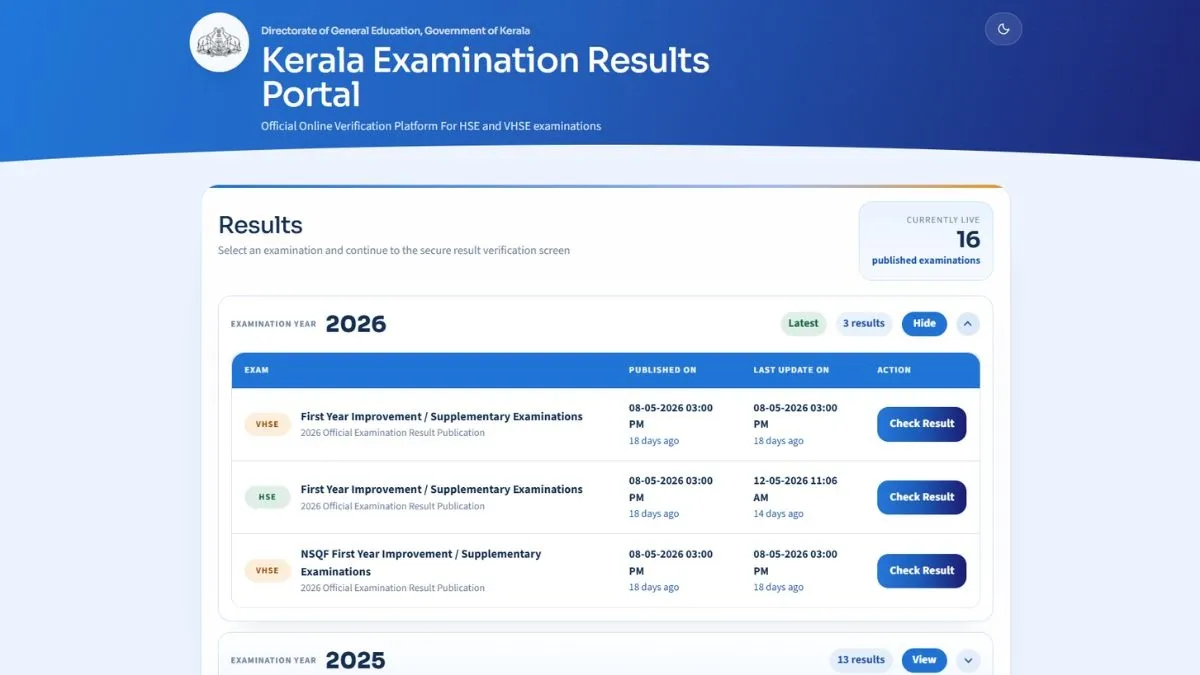
Kerala Plus Two scorecard link has been activated on the websites - results.hse.kerala.gov.in, keralaresults.nic.in, dhsekerala.gov.in. The DHSE Kerala 12th marksheet PDF login credentials are - application number, date of birth.
The students can follow these steps to download DHSE Kerala Plus Two scorecard PDF on the websites - keralaresults.nic.in, dhsekerala.gov.in. To download DHSE Kerala Plus Two scorecard PDF, students need to visit the official websites - keralaresults.nic.in, dhsekerala.gov.in and click on DHSE Kerala Plus Two scorecard PDF link. Enter login credentials - application number, date of birth. DHSE Kerala Plus Two, 12th scorecard PDF will be available for download on the screen. Save DHSE Kerala Plus Two, 12th scorecard PDF and take a print out.
- Visit the official websites - keralaresults.nic.in, dhsekerala.gov.in
- Click on DHSE Kerala Plus Two, Class 12 marksheet PDF link
- Use application number, date of birth as the required login credentials
- DHSE Kerala Plus Two marksheet PDF will be available for download on the screen
- Save DHSE Kerala 12th marksheet PDF and take a print out.
DHSE Kerala Plus Two scorecard will contain candidate's name, roll number, aggregate marks, subject-wise marks, pass percentage, qualifying status, other details.
How to download DHSE Kerala 12th scorecard via Saphalam app
- Download Saphalam app from Google play store
- Click on DHSE Kerala 12th scorecard PDF link
- Use application number, date of birth as the login credentials
- DHSE Kerala 12th scorecard PDF will be available for download on the screen
- Save DHSE Kerala 12th scorecard PDF and take a print out.
How to download DHSE Kerala 12th scorecard via Digilocker
- Go to the official DigiLocker website or open the app
- Sign in to your account. If you do not have an account, you will need to create one before signing in
- On the homepage, look for the option for DHSE Kerala Plus Two scorecard PDF link
- Click on this option
- Enter the required details and submit
- DHSE Kerala Plus Two scorecard will be available for download
- Save DHSE Kerala Plus Two scorecard PDF and take a print out.
For details on Kerala Plus Two result 2026, please visit the official websites - keralaresults.nic.in, dhsekerala.gov.in.
Also Read : Kerala Plus Two result 2026: Check DHSE Kerala 12th result websites and links
Also Read : Kerala Plus Two Result 2026 Live Updates: DHSE Kerala 12th result at keralaresults.nic.in, dhsekerala.gov.in